From meeting thread to operating system.
Sirano Flow turns a live conversation into structured internal follow-through: inferred context, previewable changes, role-aware wrap output, and a workspace that stays in sync after the call ends.
Built for internal preparation and internal coordination. Client-facing emails and invites stay in human hands.
The Operating Loop
Flow starts in the meeting, then drives everything after it.
The product arc is not a dashboard tour. It is a real sequence: link the thread, understand the conversation, preview or apply internal changes, and drive follow-through across the rest of the workspace.
Meeting-native entrypoint
Link Thread
Start in the meeting you already have. Flow links the thread, resolves the call context, and opens an operational surface without forcing a second workflow.
Structured meeting intelligence
Observe Live
Flow watches the transcript, detects accounts, infers call type and ownership context, and builds a structured picture of what the meeting is actually about.
Automation with control
Preview Or Apply
Operators can run a full preview, dry run, replay the observer from transcript, or let Flow write back reversible internal changes with clear provenance.
Role-aware internal ops
Follow Through
Flow turns the conversation into wrap output, working docs, tracker updates, and personalized internal follow-through organized by role.
Inside the loop
Meeting-native by default
Flow is triggered by the meeting system you already use instead of asking operators to reconstruct the call after the fact.
What changes
Internal state, docs, tracker, follow-through
The meeting does not die as transcript text. It becomes structured operating data with a visible lifecycle.
Operator stance
Previewable, replayable, reversible
The system is allowed to move fast because the operator has clear ways to inspect, rerun, undo, and reapply.
Meeting Intelligence
Flow understands more than a summary.
The product does not stop at a polished recap. It uses transcript deltas, known account context, tracker schema, org-member context, and role defaults to infer what matters operationally.
Entity Detection
Detects which external accounts are actually being discussed and supports multi-account meetings instead of flattening everything into one generic summary.
Call-Type Inference
Reclassifies the meeting when the transcript says the discussion belongs to a different operational motion than the default label.
Owner And Coordinator Context
Uses org members, default owners, and scheduling roles to understand who should receive what and which actions belong where.
Tracker-Aware Reasoning
Brings known row names and tracker column definitions into the inference loop so Flow can reason against your operating schema, not just raw text.
Per-Account Inference
Pulls out health, relationship status, next steps, contacts, budgets, services, and scheduling signals at the account level.
Accounts detected
Acme Capital, BrandCo
Call type
Monday BizDev
Owner context
Ted, Ryan
Coordinator
Kiki
Status signals
Active, Paused
Follow-ups
3 scheduling items
- Known account names and linked records
- Tracker row names and column definitions
- Org-member list for owner matching
- Default owners and coordinator hints
- Per-account health and relationship signals
- Contacts, next steps, budgets, and services
- Role-aware action items and scheduling items
- Reclassifiable call context when the transcript says otherwise
Flow reasons against operational structure instead of hallucinating a generic CRM layer. That is how it can write back across accounts, working docs, trackers, and role-aware follow-through with more specificity than a standalone summary tool.
Generated Surfaces
One meeting can drive briefs, wrap output, tracker state, and internal follow-through.
Flow produces working artifacts, not just clever text. Each output has a clear operational role and stays connected to the same meeting-derived state.
Pre-Call Brief
Pulls the account snapshot, recent context, and next best actions into a usable brief before the call.
Wrap Bundle
Builds owner-by-owner takeaways, action items, scheduling needs, and a coordinator summary from the actual call.
Working Doc
Maintains a live internal working document so the call leaves behind operational memory, not just a transcript.
Tracker Updates
Pushes structured internal updates into the tracker workflow while keeping the database canonical and the sheet operational.
Internal Email Runs
Generates personalized internal post-call follow-through by role, with drafts and graceful fallback if the org has not configured Google delivery.
Org-Wide History
Keeps outbound and inbound email history, reply status, and operational health visible after the meeting is over.
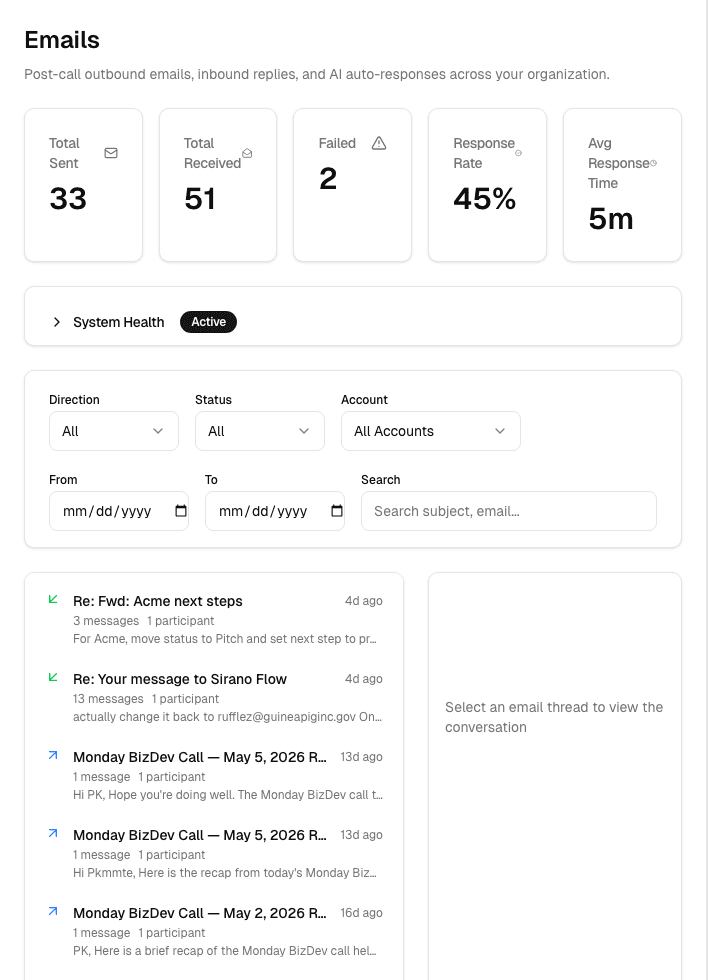
Personalized internal emails
Role-aware follow-through, not generic blast emails.
Owners get the accounts and actions that belong to them. Coordinators get scheduling-heavy summaries. Attendees and speakers get a lighter internal wrap. When Google delivery is not configured, Flow can fall back to saved drafts and on-platform history instead of breaking the workflow.
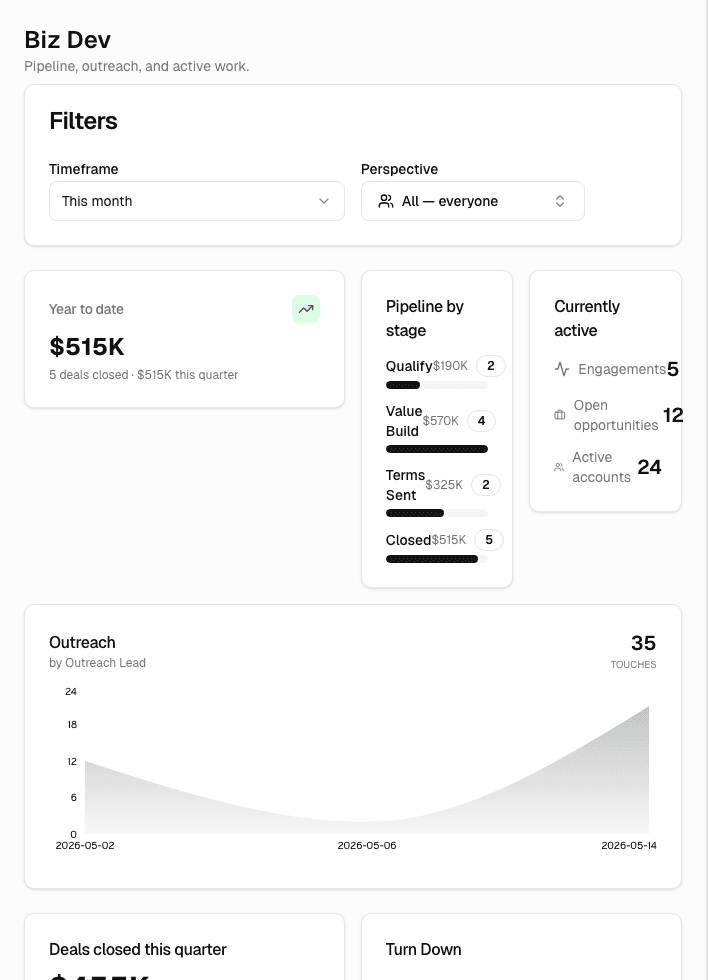
What the meeting leaves behind
The call becomes operating context, not just transcript text.
Flow keeps the generated artifacts connected to dashboards, accounts, pipeline views, and activity history so the team can continue from the same meeting-derived backbone.
Control And Trust
Flow is allowed to automate because it is inspectable.
Preview mode, dry runs, replay, undo, reapply, drafts, and audit state are part of the product surface. This is not opaque background magic.
Run a full preview to see detected entities, inferred field changes, working-doc previews, wrap output, and internal email previews before anything is committed.
If the operator needs a second pass, Flow can replay the observer from transcript, rerun post-call processing, or regenerate follow-through without pretending nothing happened.
Meeting-derived changes live inside a thread-linked changeset, so operators can reverse or reapply them instead of auditing by memory.
If the organization has not configured Google delivery, Flow can fall back to drafts and internal history rather than collapsing the whole operator loop.
Ways To Use It
Flow works from the thread, from the workspace, and from the copilot.
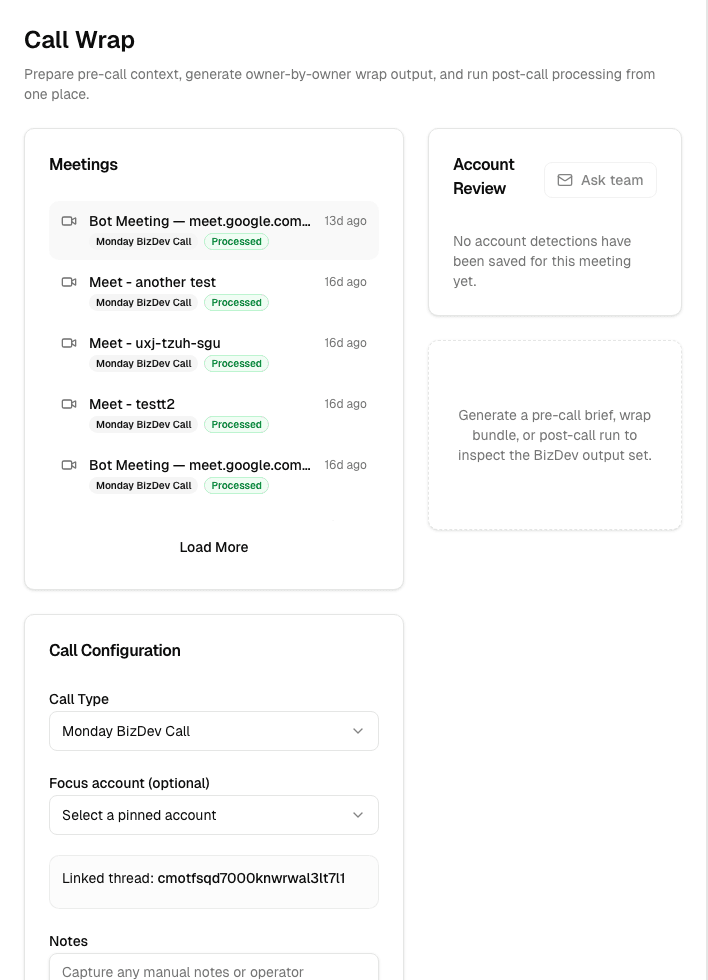
The same operating layer shows up in multiple places: meeting-linked controls, a dedicated Calls / Wrap surface, the broader Flow workspace, and a persistent AI sidecar.
Surface 01
From The Thread Header
Link the meeting, open Call Wrap, replay the observer, re-process emails, or inspect reversible changes without leaving the thread.
Surface 02
From Calls / Wrap
Generate a brief, draft a meeting event, run a dry run, stream a full preview, process post-call, or reprocess follow-through from one control surface.
Surface 03
Across The Flow Workspace
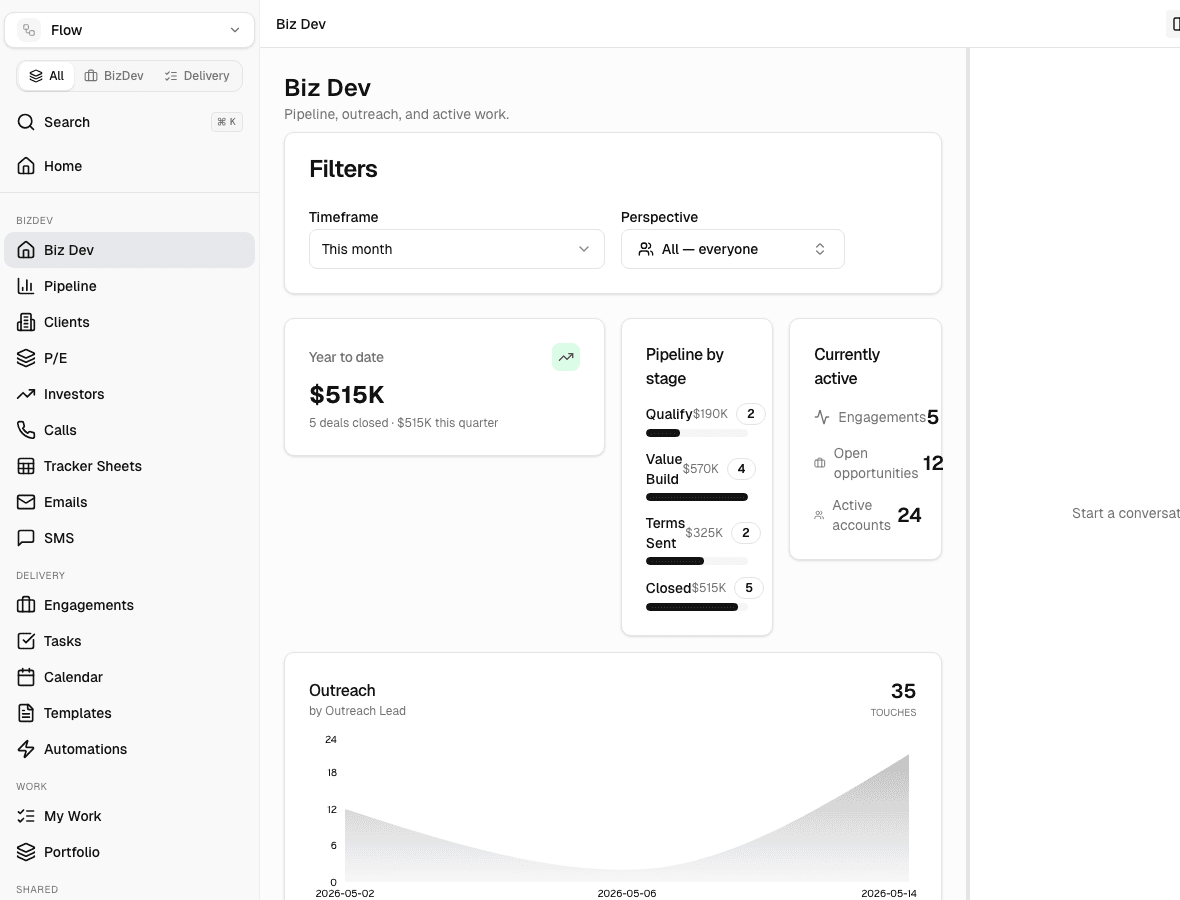
Move between Home, Pipeline, Accounts, Calendar, Tracker Sheets, Emails, Reports, Templates, and Automations as one operating system.
Surface 04
With The Copilot
Use a persistent AI sidecar with screen context, slash commands, and streaming tool output to operate the same system from chat.
Persistent copilot
Operate the same system from chat.
Flow carries screen context into the sidecar and supports a broad slash-command surface for snapshots, plans, wrap generation, tracker actions, previews, and follow-through.
Wider workspace
Flow is a full operating layer, not a single post-call panel.
The meeting loop connects into a broader workspace for priorities, pipeline management, accounts, tasks, calendar coordination, tracker infrastructure, email history, audit, templates, and automations.
Operating Model
A strong internal automation layer, with explicit boundaries.
Flow is built to prepare internal work aggressively without crossing into autonomous external action. That boundary is part of the product, not a footnote.
Internal-Only Automation
Flow is designed to automate internal preparation and internal coordination. Client emails, client invites, and external commitments stay with the team.
Database-First Tracker Sync
Sheets remain an operational surface, not the source of truth. Flow writes back in a controlled, inspectable loop and keeps audit state visible.
Org-Configured Google Layer
Docs, tracker sync, and email delivery ride on an organization-configured automation account, with previews and draft fallback when that layer is unavailable.
Why that matters
Operators move faster when the system handles preparation, not promises.
That is the design line running through Flow. The system can interpret the meeting, prepare internal output, sync internal surfaces, and tee up role-aware follow-through. The team still owns anything client-facing.
- Internal summaries, docs, tracker updates, and role-aware internal email runs
- Previews, dry runs, replay paths, and audit surfaces around the automation
- Organization-configured Google automation account for connected internal workflows
- No client-facing auto-send, no client-facing auto-scheduling, no hidden external commitments
Start using Flow
See what happens when the meeting becomes the operating system.
Flow is strongest when it starts from the real thread, understands the real conversation, and drives real internal follow-through afterward.